PvZ Fusion 3.8 Download for Android & PC [Previous Version]
PvZ Fusion 3.8 is an older version of the fan-made Plants vs. Zombies Fusion mod. It keeps the classic PvZ gameplay but adds many new fusion plants and combinations. Some players still prefer this version because they want to play the 3.8 release. You can find community-made builds for both PC and Android. The Android APK is not an official EA or PopCap release. Compatibility may also differ depending on the Android port and device. If you want to play the old 3.8 version, this page covers its features, platforms, and installation options.
What Is PvZ Fusion?
PvZ Fusion is a fan-made tower defense game inspired by the Plants vs. Zombies series. It is a pure community-made project led by Chinese developer BlueFly (LanPiaoPiaoFly ↗) on the Bilibili platform. It is not an official game from PopCap Games or Electronic Arts. This game has a unique system where different plants can be combined on the same tile to create new hybrid plants. For example, a Peashooter can produce Sun, while a Wall-nut can attack zombies. It adds more variety to the game and gives you many plant combinations to try. A player can combine different plants to create powerful hybrids with new attacks, abilities, and defensive skills.
This game combines plant fusion, tower defense, strategy, and adventure elements. Players manage sunlight, build defenses, experiment with plant combinations, and face increasingly challenging zombie waves, bosses, and special stages. It also includes custom plants, zombies, challenges, and other gameplay content not found in the original PvZ games.
Check our dedicated guide to learn about the key differences between the PVZ Fusion vs Original Plants vs Zombies.
App Information v3.8
| Feature / Detail | Information |
|---|---|
| Game Name | Plants vs. Zombies: Fusion (PvZ Fusion) |
| Latest Stable Version | v3.8 |
| Category | Strategy / Tower Defense |
| Release Date | July 12, 2026 |
| Developer | BlueFly (also known as LanPiaoPiaoFly or 蓝飘飘fly) |
| Supported Platforms | Android, Windows PC, and Browser |
| Game Type | Plant fusion, tower defense, strategy, and adventure |
| Primary Use | Combine plants, create hybrids, defeat zombies, conquer challenging stages |
| File Type | APK |
| Cost | Free to play |
| Game Language | English, Chinese (with community translations available) |
What’s New in PvZ Fusion v3.8.1?
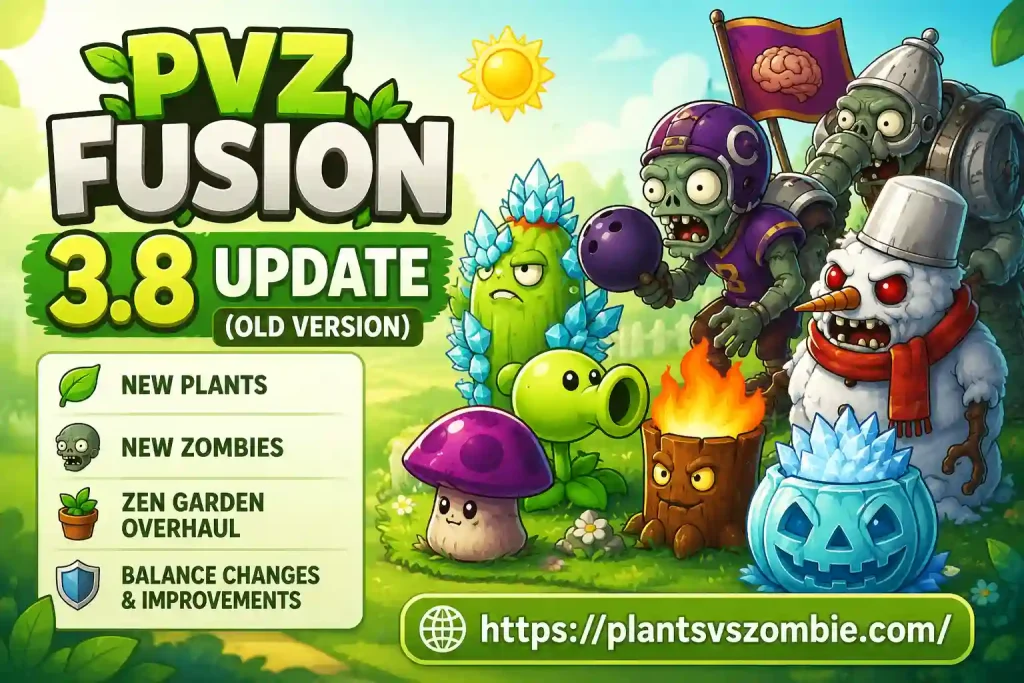
PvZ Fusion v3.8.1 adds 20+new plant hybrids and expands the fusion system and brings new challenges and improves overall gameplay. Here’s what actually changed.
- Cold Cactus: The Cold Cactus is actually behaves as a prickly freezer that slows down lanes while dishing out damage.
- Ice Pumpkin: It acts as a defensive shell with frost protection.
- Cherry Bomb Fusion: While playing, sometime you need a bigger explosion. So, Cherry Bomb Fusion at works that time.
- Triple Watermelon Shooter + Triple Corn Shooter: You want to control the crowd, use them wisely.
- Ultimate-tier fusions: It adds new powerful hybrids and rebalances strong plants like Ultimate Melancholy Mushroom and Ultimate Time-Stop Nut.
- Immortal Snowman Zombie: In this new release, you will experience the powerful Snowman Zombie, that takes lots of damage, and keeps fighting.
- Bowling Zombie: Player Use them to rolls in with a different approach to lane pressure.
- Page switching: In this version, you can easily move between garden pages instead of scrolling through one long garden.
- Environment settings: The custom arrangement option gives you the opportunity to customize your garden the way you like.
- Red Lotus Coins: Collect the Red Lotus Coins, sell it, and earn this new currency.
- Press ‘T’ to toggle damage numbers: You can press the T key to show or hide the damage numbers that appear when your plants attack.
- Faster loading times and smoother animations across the board.
- General performance tweaks that cut down on lag during heavy zombie waves.
The game no longer crashes when you try to quit. The PvZ Fusion v3.8.1 finally fixes this annoying bug.
Not sure how PvZ Fusion differs from PvZ Hybrid? Check out our detailed [PvZ Fusion vs. PvZ Hybrid comparison].
Key Features Of PvZ Fusion v3.8 APK
PvZ Fusion v3.8 APK adds a fun twist to the classic Plants vs. Zombies gameplay. You can combine different plants to create stronger and unique hybrids. Each fusion comes with its own attacks and abilities. The game also adds new plants, modes, and challenges to keep things interesting.
200+ Hybrid Plant Combinations
Now you ca try different plant combinations and discover over 200 possible fusions. Each hybrid can have its own look, attacks, animations, and abilities.
Golden Bean & Upgrade System
In this version there is an upgraded layer of progression to your plants. You can use in-game resources to improve Silver plants and turn them into stronger Golden versions. Golden plants can also unlock powerful ultimate abilities for difficult stages.
Tougher, Smarter Zombies
As you move forward in the game, the zombies get stronger and harder to defeat. You need to choose and place your hybrid plants carefully to survive. Boss zombies, like Black Olive General, make the harder levels even more challenging.
Zen Garden
The Zen Garden is a peaceful place where you can take care of your plants. You can collect and manage the plants you unlock there. It gives you something to do with your plants outside of battles.
PvP Arena & Multiplayer
PvP helps player to fight other players with your best fusion plants. Build your team, try different strategies, and compete to win.
Cross-Platform Support
You can play this game through a browser or any other supported platforms. You can play PvZ Fusion latest version on Windows PC or Android. Choose the platform that works best for you.
Free and No Pay-to-Win
The game focuses on strategy and trying different plant combinations. You usually have enough resources to experiment without a lot of grinding.
Strategic Plant Placement
Choosing the right fusion is just one part of the game. Where and when you place your plants also matters. Good placement can help you deal with stronger zombie waves
New Content to Explore
New plants, enemies, stages, and features keep the game fresh. They also give you more ways to try different fusions.
How PvZ Fusion APK Works?
PvZ Fusion keeps the classic gameplay but adds a simple fusion system.
- Drop any standard plant onto the lawn, just like classic PvZ.
- Drag a second plant onto that same tile. The two merge on contact.
- The two plants merge into a new hybrid with unique attacks and abilities.
- Use different hybrids to handle stronger zombie waves and find the best combinations.
Play PvZ Fusion Online or Download It
You’ve got two ways in:
- Play instantly in your browser: You can play the game directly in your web browser without installing anything or creating an account. It works on browsers like Chrome, Firefox, Edge, and Safari.
- Download for PC or Android: Download the version 3.8 with save progress, offline play, and the newest content updates.
Looking for an older release, a specific language build, or a version compatible with an older device? Every past release, changelog, and archive link is organized on our Old Versions page, including versions in different languages (English, Chinese, Spanish, and Portuguese builds.)
Running into install errors, black screens, or a version that won’t launch? Check our PvZ Fusion 3.6 older version and PvZ Fusion 3.7 pages to find the right build and avoid version-related issues
Installing PvZ Fusion on Android
PvZ Fusion is not available on the Play Store, so you need to install it using the APK file. The process is simple.
Download the APK
Download the latest PvZ Fusion APK to your phone. Wait until the download is complete before installing it.
Allow APK installation
Go to Settings and search for Install Unknown Apps. Allow your browser or file manager to install APK files.
Install the game
Open your file manager and go to the Downloads folder. Tap the PvZ Fusion APK and select Install. Wait for the installation to finish.
Open PvZ Fusion
After installation, tap Open or find the game in your app list. You can now start playing and try different plant fusions.
PVZ Fusion vs. Plants vs. Zombies 2: What’s Different?
PVZ Fusion and Plants vs. Zombies 2 both use the familiar plant-versus-zombie tower-defense formula, but their gameplay direction is different. PvZ Fusion focuses heavily on combining plants into new hybrids, while PvZ 2 emphasizes worlds, progression, events, and its large official plant roster.
| Feature | PVZ Fusion | Plants vs. Zombies 2 |
|---|---|---|
| Game Type | Fan-made fusion-focused tower defense | Official tower-defense adventure |
| Main Mechanic | Combine plants to create powerful fusion plants | Select and upgrade individual plants |
| Plant System | Extensive fusion combinations and recipes | Large collection of individual plants |
| Gameplay Focus | Experimentation, combinations, and strategy | World progression, events, and strategic defense |
| Levels & Worlds | Fusion-focused modes and community content | 11+ worlds and 300+ levels |
| Upgrades | Fusion and plant upgrade mechanics | Seed Packets, Plant Food, and plant upgrades |
| Multiplayer | Depends on the specific Fusion build | Official Arena mode |
| Developer | Fan-made/community project | PopCap / Electronic Arts |
| Availability | Community-distributed builds | Officially available through supported app stores |
| Best For | Players who enjoy hybrid plants and experimentation | Players wanting official PvZ content and regular events |
Pros & Cons
pros
- Combine plants to create powerful hybrids with different abilities.
- Try different plant combinations and discover new strategies.
- Adds new mechanics and challenges beyond the original PvZ.
- This Fan-made version is free to play and also available for PC.
Cons
- Later levels and modes can become quite challenging.
- Newer versions can struggle on low-end devices.
- iPhone and iPad support is limited.
- The many fusion options may feel confusing at first.
Is PVZ Fusion Safe to Download and Play on Android and PC?
PVZ Fusion is a fan-made project, so its files may not go through the same checks as official games. The safest option is to download the game from a trusted source and avoid unknown or suspicious APK files.
Before installing, scan the downloaded files with reliable antivirus software. On Android, review the permissions requested by the APK, and on PC, keep Windows Security or another trusted antivirus tool enabled. Also, back up your save files before installing a new version or updating the game.
FAQs
Conclusion
PVZ Fusion v3.8.1 brings a fresh twist to the classic Plants vs. Zombies formula with its unique plant fusion system. With hundreds of hybrid combinations, tougher zombies, upgrades, and different gameplay modes, there is plenty to experiment with.
Whether you are trying new plant combinations or taking on challenging zombie waves, PVZ Fusion offers a different experience from the original games. Before installing, make sure you choose a compatible version and download the game files from a trusted source for a smoother and safer experience.