Plants vs Zombies Fusion 3.0.1 Download: Android APK & PC Guide
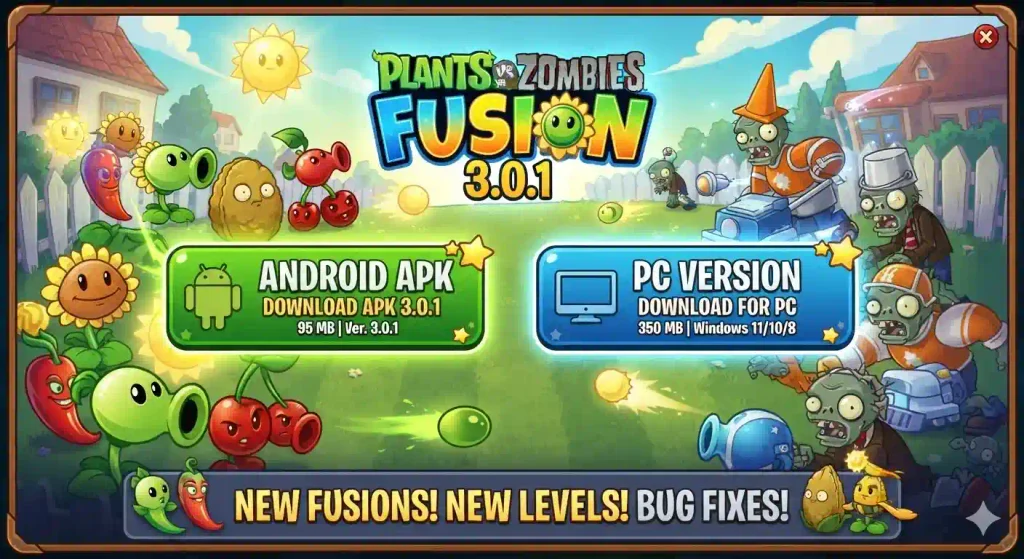
Plants vs Zombies Fusion 3.0.1 is the September 2025 bug-fix release for the fan-made PvZ Fusion tower-defense mod. If you are looking for the PvZ Fusion 3.0.1 download for Android or PC, this guide covers exact file requirements, step-by-step installation, version differences, and safe sourcing.
Quick Facts: Version 3.0.1 was released on September 30, 2025 by LanPiaoPiao. It is a PC-first release; Android builds are community ports. The game is fan-made and not an official EA/PopCap title.
The PC version is the original release and the safest way to play the 3.0.1 build.
Requirement
Minimum
Recommended
OS
Windows 7
Windows 10/11
RAM
2 GB
4 GB
Storage
1 GB free space
2 GB free space
DirectX
Version 9.0c
Version 11
Processor
Dual-core CPU
Intel Core i3 or equivalent
Graphics
Integrated graphics
Dedicated or modern integrated graphics
Step-by-Step PC Installation
Download the archive from a documented community source (e.g., PvZ Fusion Wiki or verified community hosting).
Extract the .zip or .rar file using 7-Zip or WinRAR.
Keep the folder intact. Do not move individual .exe files out of the game directory.
Apply the English patch (optional): Download a 3.0.1-compatible translation and follow the patcher’s instructions. Do not mix 3.0 and 3.0.1 patch files.
Run the executable. If Windows SmartScreen appears, click “More info” → “Run anyway.”
Back up your save folder before installing mods or switching versions. Saves are typically located in the game directory or under %AppData%.
Tip: Avoid extracting the game into cloud-synced folders (OneDrive, Dropbox). Some translations fail to load when executables are run from synced directories.
How to Download PvZ Fusion 3.0.1 for Android
Android users should treat 3.0.1 as a community port, not an official developer release.
Android Requirements
Requirement
Details
Android Version
Android 8.0 (Oreo) or higher
Architecture
ARM64 recommended
Free Storage
At least 1.2 GB
Installation Permission
Enable “Install unknown apps”
RAM
2 GB minimum; 4 GB recommended
Controls
Touchscreen controls
Step-by-Step Android Installation
Source the APK from a transparent community project with documented release notes.
Verify the version. Check that the package is labeled 3.0.1, not 3.0 or 3.1.
Back up existing saves. If you already have PvZ Fusion installed, exporting your save is critical—community ports often use different signing keys, and updating may require a full uninstall.
Enable unknown sources. Go to Settings > Apps > [Your Browser/File Manager] > Install unknown apps and toggle it on.
Install the APK and allow the game to complete its first-time asset extraction.
Test before restoring saves. Launch a quick level to confirm stability before importing old data.
If you want to explore older releases, check out our PvZ Fusion all old versions guide for previous updates and downloads.
Android vs PC Download: Which Should You Choose?
Factor
PC Download
Android Download
Authenticity
Original 3.0.1 build
Community repack or port
Performance
More flexible with resolution and windowed mode
Depends on device GPU and thermal limits
Controls
Keyboard and mouse precision
Touch controls
English Support
Community patch applied after download
Pre-patched or separate language pack
Update Path
Replace game files manually
Reinstall the APK
Best For
Stable and moddable experience
Portable gameplay
Android vs PC Download: Which Should You Choose?
Version 3.0.1 is a polish update for the 3.0 generation. When you download and install it, you get:
378 fusion recipes (carried over from 3.0)
Mystery Mode — a randomized challenge mode
Recipe Levels — structured fusion tutorials
Mystery Garden & Big Garden — expanded non-combat gardening
Bug fixes and text corrections specific to the 3.0 release
Engine stability improvements
If you are looking for the newest content (post-3.0.1), newer community releases such as 3.1.x, 3.2.x, and 3.3+ exist. However, 3.0.1 remains a common download target for players who need compatibility with specific translation patches or prefer the early 3.x balance.
Download Safety Checklist
Since PvZ Fusion is not officially distributed through Google Play or Steam, take a few precautions before installing any version. Use the following checklist:
☐ Download from a trusted community source with a clear version history.
☐ Check that the file size is within the expected range of around 300–600 MB.
☐ Avoid files containing suspicious download managers or unrelated installers.
☐ For PC, make sure the archive includes legitimate game files such as .exe, .dll, and data folders.
☐ Scan the downloaded file with reliable antivirus software or VirusTotal.
☐ Create a backup of your save files before replacing an existing installation.
☐ Avoid APKs that request unnecessary permissions or install additional apps.
☐ Verify the version number before installing to avoid mixing files from different releases.
Frequently Asked Questions
Yes. It is a non-commercial fan project. Only download from community distribution channels; avoid paid repack sites.
PC archives range from 300–500 MB compressed. Android APKs range from 400–600 MB before asset extraction.
Yes. Once installed, the game does not require an internet connection.
The game needs to extract additional assets to your device storage on first launch. It should not request contacts, SMS, or phone permissions.
Generally yes for PC. For Android community ports, compatibility depends on the port maintainer; back up before updating.
Conclusion
For PC players, downloading PvZ Fusion 3.0.1 is straightforward: grab the Windows archive, extract, patch to English if needed, and play. For Android users, the 3.0.1 download requires more caution, treat it as a community port, verify the source, and back up saves. If you simply want the latest PvZ Fusion experience, newer versions offer more content, but 3.0.1 remains the definitive build for players targeting the original early-3.x engine and Mystery/Garden features.